PORTFOLIO | 2D/3D | ANIMATIONS | TUTORIALS |
How to paint in Photoshop using a mouse
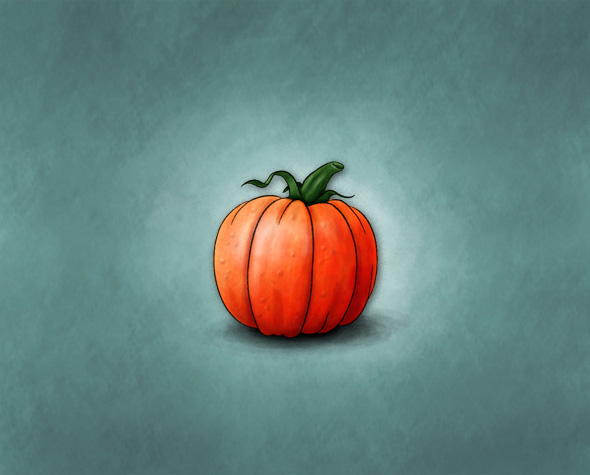
Welcome to my very first tutorial in which I am going to show you how to do a nice looking paintings using just a mouse. Halloween is coming soon so let's paint a pumpkin:-)
Step 1 - The Outline
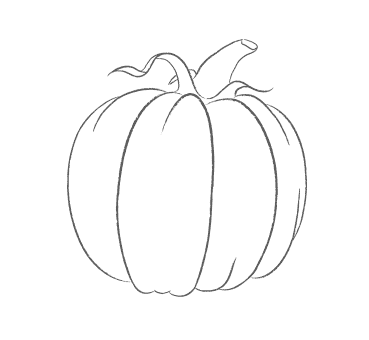
- Create an outline of the pumpkin in Illustrator (or use mine).
- Open up Photoshop and create a New Document with a white background.
- Put your outline into this new document (have both outline.ai and new document opened in Photoshop and drag and drop the outline into this new document with "move tool (v)").
- This should create a new layer. Name it outline, set blending to multiply and opacity to 60% - 70%.
Step 2 - The basic colour
- Create a new layer under the outline layer and name it orange.
- Choose a basic colour of your pumpkin (I chose R:255 G:120 B:0).
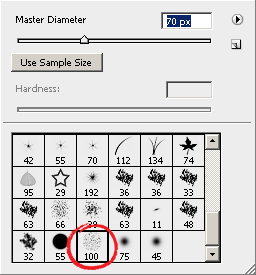
- Click on the brush tool, from the list of available brushes choose Rough round bristle, leave blend mode to normal for now, but change opacity to 50%. Fill the entire area of the pumpkin with only one stroke.
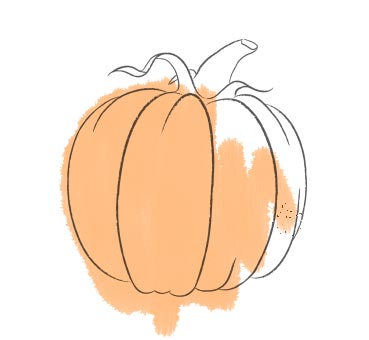
Now that's your basic colour on which you can add more colour, shades, lights and more details.
Step 3 - Casting shadows
And now we are going to create a basic round shape of the pumpkin.
- Set the mode of your brush to multiply and change opacity to 10% - 15% depending on how rough you want your painting look.
- Create many many brushstrokes. Just point, click, drag shortly and let off and do this in a really fast pace all over your pumpkin. Do more of them in the areas you want to have darker and less in the areas you want lighter.
In a few moments we should get something like this:
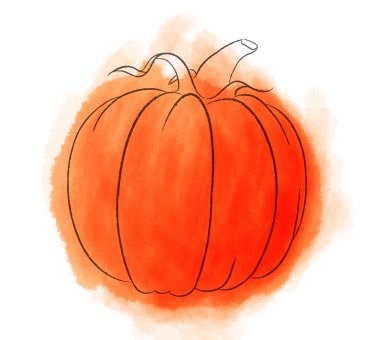
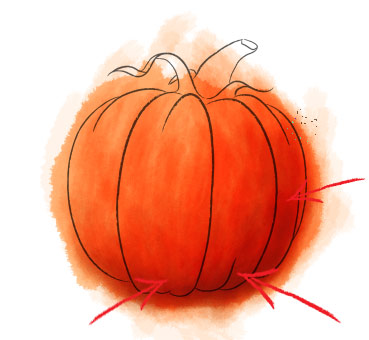
- As you can see, wee can use a little more shadows in the darker area. Choose a darker tone of orange colour (I chose R:187 G:88 B:1), set the opacity to 7% and continue coloring the pumpkin.
Step 4 - Casting reflections
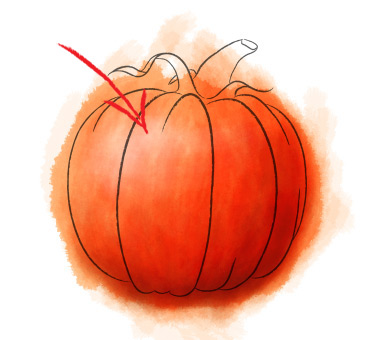
We have a pretty good looking pumpkin now right? But not only the shades make our pumpkin look three-dimensional, it's also the light reflections.
- Make another layer above the orange layer and name it reflections.
- Change the brush colour to white, set mode back to normal and start casting the reflections with a lot of brushstrokes.
- If needed, you can use the large eraser brush with hardness set to "0" and soften the reflections.
Step 5 - Finishing, postprocessing...
So, the basics of painting in Photoshop are pretty much covered. You can get rid of the unwanted brushstrokes around the outline using Polygonal Lasso tool or whatever you prefer. Now you know everything you need to continue painting other shapes on your pumpkin.
If you cast shadows close to the reflections you can give your pumpkin even more three-dimensional look. Give it a nice matching colour background, play with it, experiment... Since this is my first tutorial, I'd be more than happy for your feedback.
Happy Halloween!
Marko
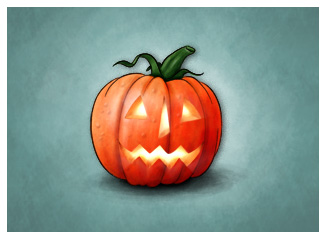
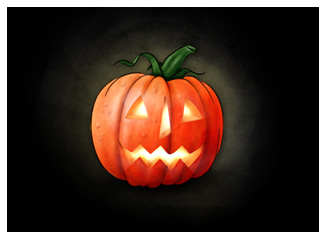
Ready pumpkin...
...and two Halloween versions:
PORTFOLIO | 2D/3D | ANIMATIONS | TUTORIALS |
Guestbook
b
lel
BILL NYE THE SCIENCE GUY
Bre
Kevin
elham
Mary
Michele Olinde
Rick
Karn
Lisa
Luki
SID
Katie
jose
Valerio
Randy
Shawn
Dave
jocelyn
Emad Tad
bdjohnson
Diane
Rcurtis
Joefrey
ali
Narendar
Sandra, Portugal
amluidgi
IMS